
Trips and timeline
Create a trip
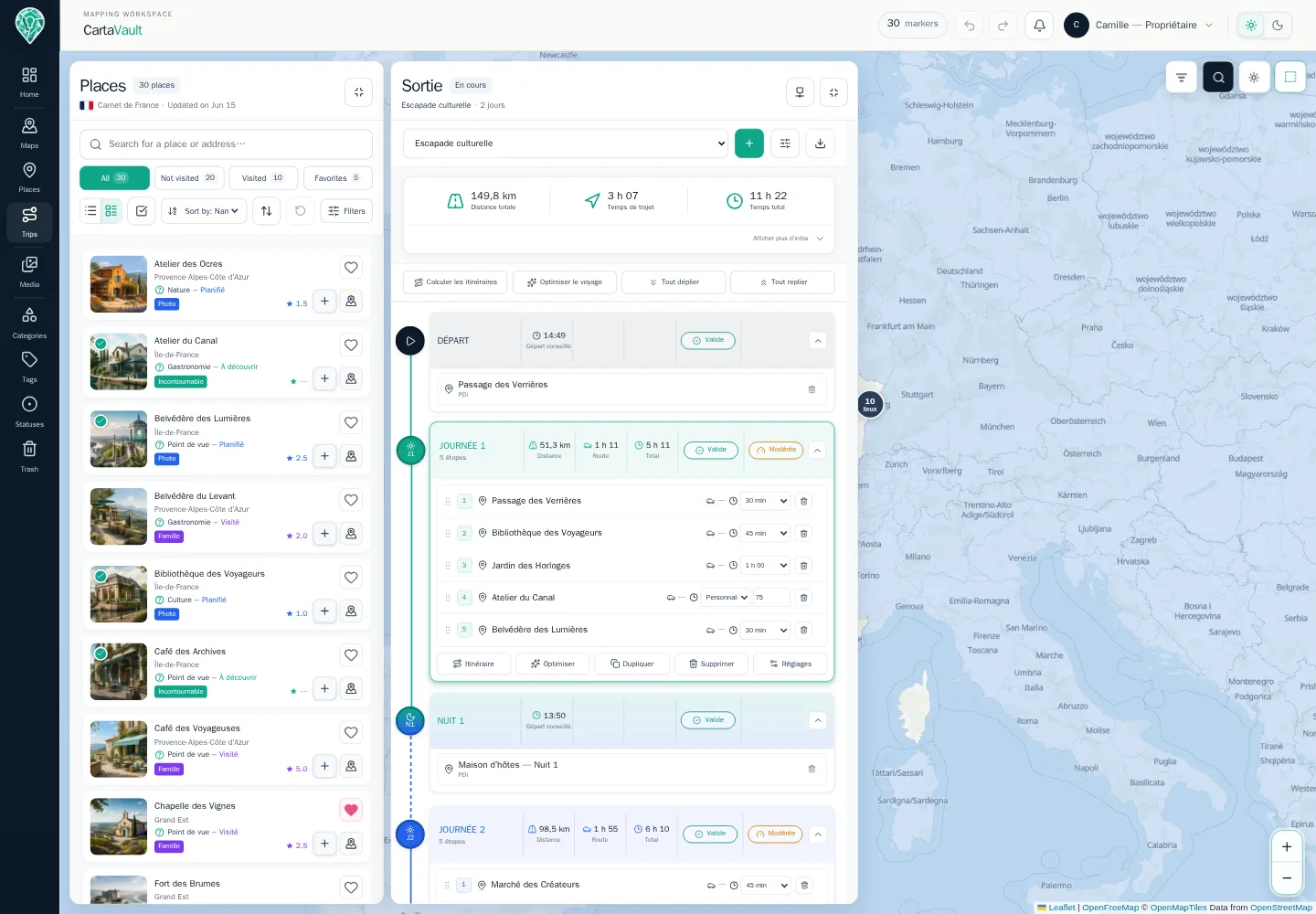
Section titled “Create a trip”Open Trip mode from a map, create a journey, and set its dates. Forcing an arrival date automatically adjusts the number of days and nights.
Build the stages
Section titled “Build the stages”Select a day, night, departure, or arrival, then add a search result or drag an existing place. The same place can be used more than once in a trip. Reorder stages and days with drag and drop.
Calculate and optimize
Section titled “Calculate and optimize”Choose Calculate routes to retrieve routes, distances, and durations. Optimize trip proposes a more efficient order before you apply it. Providers and constraints are configured in user preferences.
Use the timeline
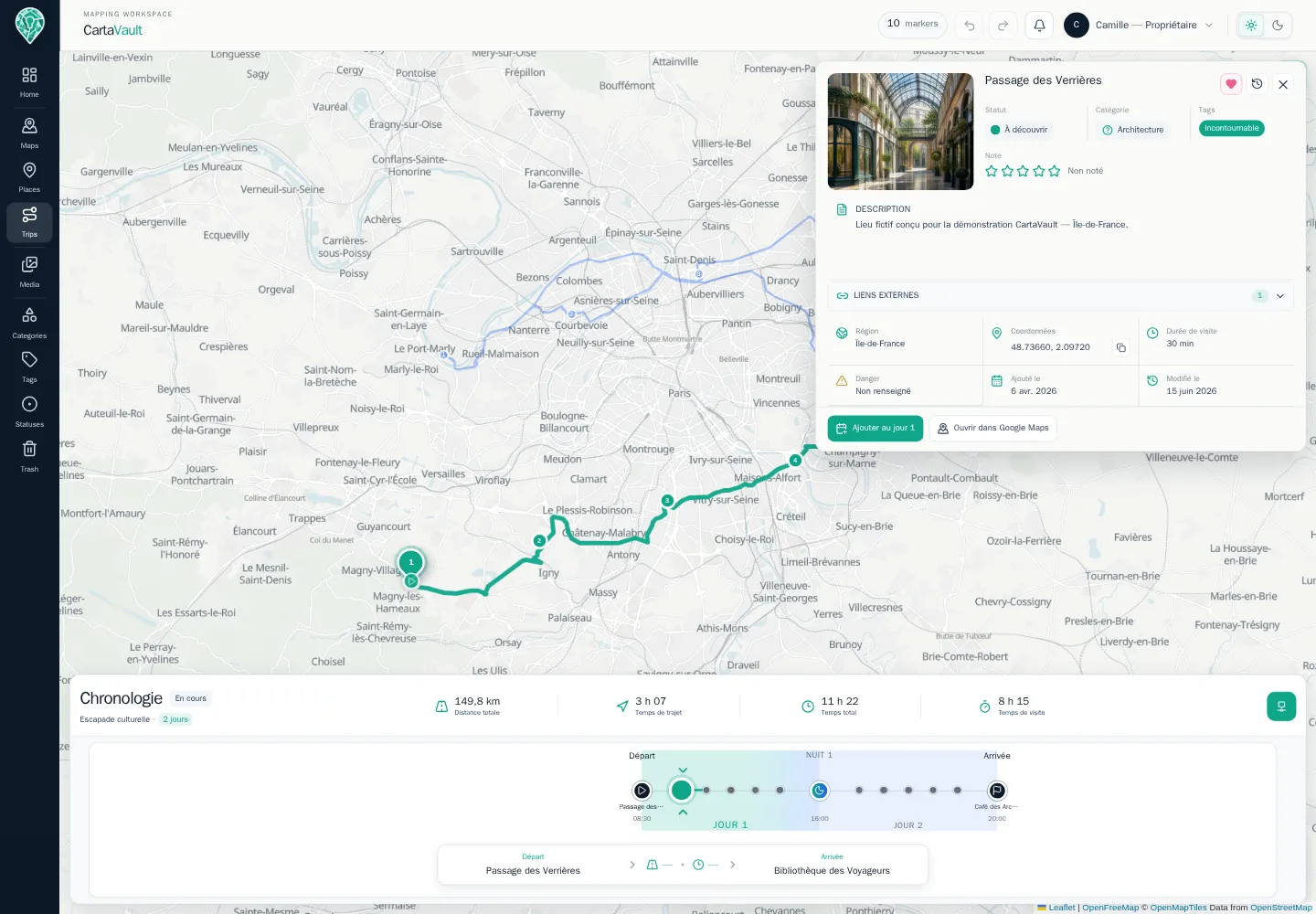
Section titled “Use the timeline”Trip timeline mode fits the map to the journey. Click a stage or use the keyboard arrow keys to move through departure, stages, nights, and arrival.
Export
Section titled “Export”The PDF export can include an overview map, one map per day, photos, and Google Maps and/or Waze QR codes. GPX export provides tracks for compatible applications.